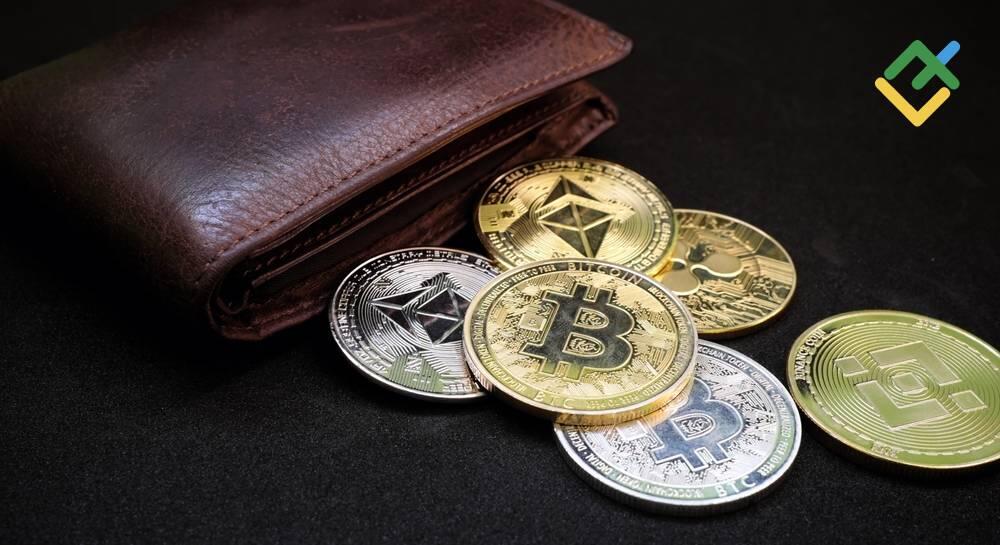
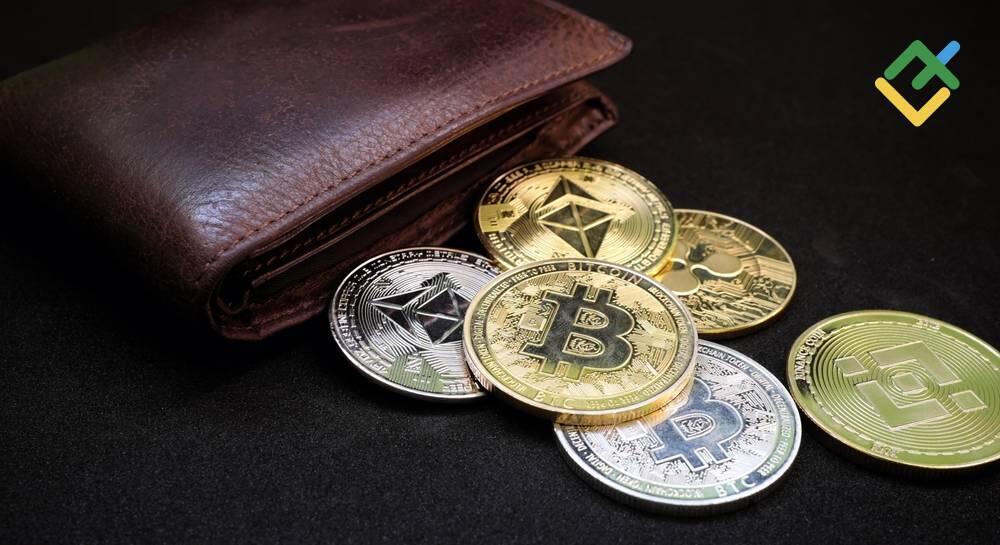

A reliable crypto wallet does more than protect your digital assets from scammers and cybercriminals—it also helps prevent costly mistakes by its owner. Although cryptocurrencies are stored on the blockchain, wallets provide access to them through private keys. Losing these keys can mean losing access to your funds permanently. With cybercriminals stealing millions of dollars’ worth of digital assets every year, choosing a secure and reliable crypto wallet is more important than ever.
In this article, we’ll explore the different types of private crypto wallets, compare popular solutions, and explain the key differences between hot and cold storage. We’ll also cover how to protect your seed phrase, identify common scams, and avoid mistakes that could put your funds at risk. By the end, you’ll have a clearer understanding of which wallet best suits your needs, along with practical calculations and a security checklist to help you make an informed decision.
The article covers the following subjects:
Major Takeaways
-
A crypto wallet doesn’t store coins. It manages the private keys that give you control over your blockchain assets.
-
Hot wallets offer quick online access but are more exposed to cyber threats.
-
A seed phrase restores wallet access. Anyone who obtains it can take control of your funds.
-
Cold storage keeps private keys offline, reducing the risk of remote attacks.
-
Hardware wallets are generally preferable for storing large amounts of cryptocurrency long-term.
-
Self-custody gives you full control over your crypto assets but makes you responsible for protecting your keys.
-
Before choosing a wallet, check the developer’s reputation, security audits, vulnerability history, and user reviews.
-
Consider using both types: a hot wallet for everyday transactions and a cold wallet for long-term storage.
What Is a Crypto Wallet and How Does It Work?
What is the best crypto wallet? A crypto wallet works much like a regular mailbox: its address is known to senders, but only the key owner can access and manage its contents. Similarly, a good crypto wallet allows you to receive digital assets through a public address and manage them using a private key.
However, cryptocurrencies are not stored directly in the app or on your internet connected device. Instead, ownership records and transaction data are stored on the blockchain, a distributed digital ledger. The wallet retrieves this information from the network, displays your balance, and helps create and sign transactions.
It is important to distinguish between three key concepts. A public address is used to receive funds and can be shared with others. A private key proves your authority to manage your assets and must never be disclosed. A seed phrase, in turn, allows you to restore access to your wallet if you lose your device. Some wallets also require an additional passphrase for recovery.
Every cryptocurrency transfer goes through three main stages:
-
The sender enters the recipient’s wallet address, selects the asset, and specifies the amount.
-
The wallet creates the transaction and signs it with the private key. This signature verifies the sender’s authority without exposing the key to the network.
-
Blockchain participants validate the transaction. Once it is included in a block and confirmed, the wallet updates the displayed balance.
|
Element |
Description |
Can it be shared? |
|
Wallet address |
Address for receiving funds |
Yes |
|
Private key |
Secret key for signing transactions |
No |
|
Seed phrase |
Backup of all keys |
No |
Address formats vary depending on the blockchain network. For example, Bitcoin addresses may begin with 1, 3, or bc1, while Ethereum addresses start with 0x. However, a matching address format does not guarantee a successful transfer: different blockchains may use similar address formats even though their transactions are not directly compatible.
Therefore, always verify both the recipient’s address and the selected network before sending funds. For example, when withdrawing tokens from an exchange, the withdrawal network must match the network supported by the recipient’s wallet. Choosing the wrong network can result in lost funds, and confirmed transactions are usually irreversible.
Another important feature of digital wallets for cryptocurrency is that they are not tied to a specific device. If your phone breaks or you lose your hardware wallet, your assets remain on the blockchain. You can regain access through a compatible wallet as long as you have the necessary recovery data. This is why keeping your private keys safe is more important than securing the app or device itself.
How to Choose a Network for Transfers
A single cryptocurrency can exist on multiple chains. For example, the USDT stablecoin is available on Ethereum, Tron, BNB Chain, and Solana. Bitcoin operates on its own network, although tokenized versions are also available on other major chains.
Each blockchain has its address formats and transaction fees. Sending funds through an unsupported network can result in their loss.
Particular care is needed when using Ethereum and BNB Chain, as both networks use the same address format, making it easy to select the wrong network. Recovering funds sent this way can be difficult or even impossible.
Transaction fees also vary widely, ranging from a few cents to tens of dollars, depending on the network and its congestion. Before sending funds, always check which networks the recipient supports and which blockchain the cryptocurrency is issued on.
Before sending cryptocurrency, always check three things:
-
Make sure the recipient supports the selected network.
-
Verify the wallet address and confirm that it is compatible with the network.
-
Send a small test transaction and wait until the funds are credited before transferring the full amount.
Private Keys, Seed Phrase and Recovery Phrase
A private key is a secret string of characters that allows you to control your cryptocurrency. If it falls into the wrong hands, malicious actors can use it to steal your assets. Confirmed transactions are irreversible.
To avoid storing multiple individual keys, most self-custody wallets use a seed phrase consisting of 12 or 24 words. This phrase allows you to restore access to your wallet and is therefore also known as a recovery phrase.
Under the BIP-39 standard, words are selected from a list of 2,048 options. Each word represents an 11-bit index, while a 12-word phrase contains 128 bits of entropy plus a checksum. Guessing such a phrase is virtually impossible, so the main risks are theft, exposure, and loss.
To keep your seed phrase secure, follow these five rules:
-
Write it down on paper or a metal plate.
-
Keep backup copies in two separate, secure locations.
-
Never photograph your seed phrase or store it in the cloud.
-
Never share it with anyone, including customer support staff.
-
Double-check that the phrase is recorded correctly before transferring large amounts.
Protecting your private keys is more important than convenience. A single mistake when storing your seed phrase can result in the permanent loss of all your assets.
Types of Crypto Wallets
A digital currency wallet can be classified according to two main criteria: their connection to the internet and who controls the private keys. Based on internet connectivity, they are divided into hot and cold wallets. Based on key ownership, they are classified as custodial or non-custodial. These categories are not mutually exclusive: for example, a mobile wallet can be non-custodial, while an exchange account is typically custodial.
|
Wallet type |
Advantages |
Limitations |
|
Hot |
Quick access to funds; convenient for everyday transactions |
Greater exposure to online attacks |
|
Cold |
Private keys remain offline, reducing the risk of remote attacks |
Additional costs and less convenient transaction signing |
|
Custodial |
Easy to use; account access can often be restored through the provider |
Dependence on the service provider |
|
Non-custodial |
Full control over private keys |
Sole responsibility for securely backing up and protecting recovery data |
Hot Wallets (Software Wallets)
A hot wallet operates on a device connected to the internet. This category includes mobile, desktop, and browser-based wallets. Getting started is usually simple: just install the app and create a wallet.
Mobile crypto wallets are particularly convenient for everyday use, allowing users to pay via QR codes, make transfers, and interact with decentralized apps. Many software wallets also support multiple blockchains, token swaps, and transaction history tracking, eliminating the need to switch between different platforms.
A wallet app can store private keys in a secure area of a smartphone’s memory. Biometric authentication, PINs, and other security features help restrict access to the app, but they cannot guarantee protection against malware or fraudulent transaction requests.
The main advantage of a hot wallet is convenience. For everyday cryptocurrency transfers and connecting to Web3 applications, a software wallet is generally more practical than a hardware device. However, constant interaction with online services increases exposure to phishing and other cyberattacks.
For this reason, hot wallets are best suited to everyday transactions and smaller balances. Long-term savings are safer when stored separately, preferably in cold storage.
Cold Wallets (Hardware Wallets)
A cold wallet stores private keys in an environment isolated from the internet. The most common type is a physical device resembling a USB flash drive or bank card. In some models, keys are generated inside a secure chip and never leave it.
To send funds, the companion app creates a transaction and sends it to the hardware device. The user verifies the amount and recipient’s address on the wallet’s screen before confirming. The device then signs the transaction and returns the digital signature to the app without exposing the private key.
Cold storage reduces the risk of remote key theft, even if your computer is infected. However, it does not eliminate all threats. For example, malware can replace the recipient’s address, so always verify the details displayed on the wallet’s screen before confirming a transaction.
Hardware wallets also come at an additional cost, which varies by manufacturer, model, and features. When choosing the best altcoin wallets, consider not only the price but also support for the blockchains you need, backup options, and available transaction confirmation methods.
A cold crypto wallet is particularly useful for long-term storage of funds that you don’t plan to transfer frequently. For example, you can keep most of your crypto savings in a hardware wallet while storing a smaller amount in a mobile app for everyday expenses.
However, cold storage doesn’t necessarily mean having no connection to a computer or smartphone. Some models use USB, Bluetooth, or NFC to transfer data. What matters is that the private keys remain in a secure environment.
Custodial vs Non-Custodial Wallets
The key difference between these wallet types is who controls the private keys.
A custodial wallet relies on a third-party service to store the keys. Users access their assets through an account, typically secured with a password and two-factor authentication. Many centralized crypto exchanges use this model.
The main advantage is easy account recovery: if a password is lost, it can often be reset through the service’s recovery procedures. However, users depend on the platform to access their funds. The operator may restrict withdrawals, experience technical issues, or cease operations.
A prominent example is the bankruptcy of the FTX exchange. In November 2022, FTX suspended withdrawals, leaving customers unable to access their funds. Recovering assets became a lengthy process involving the settlement of creditors’ claims.
A non-custodial wallet allows you to store and manage your private keys yourself. You retain full control over your assets, and the app developer generally cannot block transactions or recover a lost seed phrase.
Self-custody provides independence from third-party services but also places responsibility for security on you. If you lose your keys and all backups, you may permanently lose access to your funds.
Non-custodial wallets can be either hot or cold. For example, a mobile app that stores your keys is a hot non-custodial wallet, while a hardware device is a cold one. Both characteristics should therefore be considered when choosing a wallet.
Top Crypto Wallets of 2026 Compared
This selection of top crypto wallets covers a range of use cases. Beginners may prioritize an intuitive interface and easy setup, while long-term investors may focus on private key security. For active users, transaction speed and support for multiple blockchains are especially important. We reviewed the most popular crypto wallets, comparing their features, costs, and security.
When choosing a wallet, consider not only the number of supported assets but also compatibility with the networks you need, account recovery options, and the developer’s reputation. Even a feature-rich wallet can be inconvenient if it requires additional apps to support a particular cryptocurrency.
Prices are approximate and subject to change. Check the manufacturer’s official website for current pricing before purchasing. For hardware wallets, buying directly from the manufacturer or an authorized retailer is recommended.
Ledger — Best Hardware Wallet Overall
Some call Ledger the best wallet for cryptocurrency. It offers several hardware wallets, including the Nano S Plus, Nano X, Flex, and Stax. These devices use secure chips to store private keys and sign transactions internally, without exposing sensitive data to a connected computer or smartphone.
The models differ in connectivity, screen size, and additional features. The Nano S Plus connects via USB, while the Nano X and Flex support Bluetooth. The Flex and Stax feature larger screens, making it easier to verify transaction details before confirming them.
Prices vary by model and configuration, ranging from the more affordable Nano series to the premium Flex and Stax. Ledger wallets support thousands of cryptoassets, although access to specific coins and tokens depends on network compatibility and the software used.
The Ledger Wallet app is used to manage the device. It lets users check their balance, send and receive cryptocurrency, and access additional services such as buying, exchanging, and staking. Some transactions are handled by third-party providers and may involve additional fees.
Ledger’s main advantage is its combination of hardware security and support for a wide range of cryptoassets. However, users should always verify addresses and transaction details on the device’s screen before confirming. The secure chip cannot prevent users from approving fraudulent transactions.
Limitations include partially closed-source firmware and mixed user opinions about Ledger Recover, a service that allows secret data to be backed up through a dedicated recovery process. In 2020, Ledger also experienced a leak of personal data belonging to online store customers, which led to phishing attempts. However, the incident did not compromise hardware wallet private keys.
Ledger is a good choice for users who hold multiple cryptocurrencies and want to combine cold storage with convenient asset management. Beginners may prioritize ease of use and device cost, while experienced users may focus on network compatibility and on-device transaction verification.
Trezor — Best Crypto Hard Wallet
Trezor is one of the pioneers of hardware crypto wallets. Its main advantage is open-source code, which allows independent experts to inspect the software, verify the firmware, and identify potential vulnerabilities. This improves transparency but does not guarantee absolute security.
The lineup includes several Trezor Safe models. According to reviews, the Safe 3 costs around €50, while the more advanced Safe 7 is priced at approximately €211. The models differ in design, screen size, and additional security features. Trezor devices are managed through the Trezor Suite app, which allows users to check balances, send cryptocurrency, and manage supported assets.
Trezor wallets support thousands of cryptocurrencies, although compatibility depends on the model, blockchain, and software used. Before purchasing, check the official website to confirm support for specific coins and tokens. Some less common assets may require third-party software. Other limitations of certain models include plastic casings and relatively small screens.
One of Trezor’s key features is the ability to independently verify the device’s software. This makes it particularly appealing to users who value open-source solutions and prefer not to rely solely on the manufacturer’s claims.
Trezor is a good choice for those who prioritize software transparency and long-term crypto storage. The Safe 3 is a suitable entry-level hardware wallet, offering an affordable price and essential features. However, users who need additional functionality should compare it with more advanced models before purchasing.
Trust Wallet — Best Software Wallet With Multi-Chain Support
Trust Wallet is a non-custodial wallet affiliated with Binance, available as a mobile app. Trust Wallet’s browser extension expands its functionality, while multi-chain support lets users manage assets across multiple blockchains through a single interface.
According to the developer, the wallet supports over 100 blockchains. Users can also swap tokens, including across networks through third-party services. Asset storage is free, but transactions incur network fees. Swap fees vary by provider and may be included in the quoted exchange rate. Before confirming swap transactions, compare offers from different services, especially when exchanging large amounts.
Security is an important consideration when choosing Trust Wallet. In December 2025, version 2.68 of its browser extension was compromised, resulting in losses of approximately $7 million. The incident affected only that specific extension version; the mobile app and other versions remained unaffected. The developers released a security patch and announced compensation for affected users. The incident highlighted that even large wallet providers with millions of users are not immune to security breaches.
Trust Wallet is particularly suitable for managing altcoins across multiple blockchains. It supports Ethereum, Solana, and other popular networks, eliminating the need to install a separate app for each one. However, users should always check whether a specific token is compatible with the selected network before making a transfer.
Trust Wallet is a good choice for users who regularly interact with different blockchains, use DeFi services, and manage their assets from a smartphone. For long-term storage of large holdings, however, it is advisable to use a hardware wallet and keep only funds needed for everyday transactions in the mobile app.
MetaMask — Best Wallet for Ethereum and DeFi
MetaMask is a popular non-custodial wallet for Ethereum and compatible blockchains, developed by Consensys. Available as a browser extension and mobile app, it connects to decentralized services and lets users manage their assets through a single interface.
MetaMask is particularly popular among DeFi users and blockchain gamers. It allows users to connect to decentralized exchanges, lending protocols, and NFT marketplaces. However, every connection requires caution, as fraudulent websites may request permission to access or withdraw tokens. Some approvals give smart contracts broad access to your assets, so always check the permissions, recipient address, and transaction details before confirming.
MetaMask’s built-in swap feature allows users to exchange cryptocurrencies without visiting a separate exchange. However, convenience comes at a cost: in addition to network fees, the service may charge an extra commission. Before swapping, compare the final exchange rate and fees with those offered by other platforms. When the Ethereum network is congested, gas fees should also be taken into account.
For added security when managing large holdings, MetaMask can be connected to a hardware wallet such as Ledger or Trezor. The app handles blockchain interactions, while transactions are signed directly on the separate device. This reduces the risk of private key exposure when using a browser.
MetaMask is well suited to active DeFi users who need quick access to decentralized applications. Beginners should start with small amounts, verify website addresses, and carefully review every transaction and signature request before approving it.
Exodus — Best Wallet for Desktop and Mobile Users
The Exodus wallet appeals to beginners with its simple interface. Available on desktop and mobile devices, it supports a wide range of cryptocurrencies and allows users to exchange assets directly within the app. Cross-device synchronization makes it easy to track transaction history across multiple devices.
Its main drawback is closed-source code, which limits independent security audits. Exodus also lacks traditional two-factor authentication because it does not use a conventional account system. Users should therefore take extra care to protect their devices, passwords, and recovery phrases.
The built-in exchange allows users to swap assets without switching to third-party platforms. However, fees and exchange rate differences can make transactions more expensive. Before confirming a swap, compare the total cost with offers from other services.
For storing large amounts of cryptocurrency, Exodus can be paired with a Trezor hardware wallet. In this setup, the app serves as an interface for managing assets, while private keys remain on the hardware device. This reduces the risk of key theft when using a computer.
Exodus is well suited to users who value simplicity, regularly transact in cryptocurrency, and want to manage their assets across multiple devices. However, those planning to store significant amounts long-term should consider the limitations of proprietary software and additional hardware security measures.
Phantom — Wallet for Solana and More
Phantom was originally developed for Solana but has since evolved into a multi-chain wallet. In addition to Solana, it supports Ethereum, Base, Polygon, Sui, Bitcoin, and other networks, including Monad and HyperEVM. This allows users to manage assets across multiple blockchains through a single interface without installing a separate app for each network.
The Phantom wallet is available for free as a browser extension and mobile app. Users can send and receive cryptocurrency, swap tokens, manage NFTs, and interact with decentralized applications. However, available features depend on the selected network and supported assets.
For added security, Phantom can be connected to a compatible Ledger device. Private keys remain on the hardware wallet, while Phantom serves as an interface for viewing balances and interacting with the blockchain. Before confirming transactions, always verify recipient addresses and carefully review the details of each signing request.
Scammers impersonating support staff pose a particular threat. They may offer to help set up your wallet or restore access in an attempt to steal your seed phrase. Ignore suspicious messages, avoid clicking unknown links, and never share your recovery words.
Phantom is well suited to users who actively work with Solana, NFTs, and other supported blockchains. However, despite its extensive features, users should always check asset compatibility and follow basic security practices.
Budget-Friendly Options and Alternatives
Among the available hardware wallets, the SafePal S1 is worth considering. According to reviews, it costs around $50 and signs transactions using QR codes, without requiring a wired connection. Its air-gapped design transfers data between the wallet and companion app through QR codes, keeping private keys off computers and smartphones. This makes it an affordable option for users seeking hardware-level security.
Tangem takes the form of a bank card and uses NFC for communication. To access the wallet, simply hold the card near your smartphone. It can be set up without a traditional seed phrase, with additional cards serving as backups. This simplifies everyday use but makes it essential to protect the backup cards, as losing all available copies could result in permanent loss of access to your assets.
BitBox02 is a compact, open-source hardware wallet. Although it supports fewer cryptocurrencies than some competitors, it appeals to users who value a simple design and software transparency. Before purchasing, check its compatibility with the specific assets and blockchains you intend to use.
When comparing these devices, consider more than just the price. Pay attention to backup options, how easily access can be restored, support for the networks you need, and the manufacturer's reputation. An affordable hardware wallet can be just as suitable as a more expensive model if it meets your needs.
Check manufacturers’ websites for current prices, compatibility, and availability. To reduce the risk of buying a counterfeit, purchase hardware wallets directly from the manufacturer or an authorized retailer.
How to Choose the Best Crypto Wallet for You
The right choice depends on how you plan to use your cryptocurrency. The best crypto wallet is one that meets your needs: a mobile app is convenient for small, everyday transactions, a cold wallet is better suited to long-term storage, and a compatible browser extension is ideal for interacting with DeFi platforms.
Five key criteria can help you choose the right crypto wallet:
-
Check support for the cryptocurrencies, blockchains, and address formats you need.
-
Evaluate the wallet’s security features, the developer’s reputation, and the availability of independent audits.
-
Compare network fees and cryptocurrency exchange costs.
-
Consider the interface, ease of use, and available account recovery options.
-
Determine how much cryptocurrency you plan to hold, for how long, and which wallet type is most suitable.
Asset and Network Support
Before installing a wallet, check the official website for supported cryptocurrencies and blockchains. Don’t rely solely on reviews, as compatibility lists are updated regularly.
A multi-currency wallet is more convenient for managing several tokens, while a specialized solution may be sufficient if you use only one or two cryptocurrencies.
When choosing, consider not only the number of supported coins but also compatibility with specific token standards. For example, Ethereum support does not necessarily guarantee compatibility with every token or network in its ecosystem. Also, check whether the wallet offers the features you need, such as sending, receiving, swapping, and staking. Some apps display asset balances but require additional services to manage those assets fully.
Bitcoin Wallets and Multi-Currency Solutions
A specialized Bitcoin wallet is designed specifically for BTC and often offers a simpler interface. While some wallets support only Bitcoin, others allow you to manage assets across multiple blockchains. A dedicated Bitcoin wallet is particularly suitable for long-term BTC storage, while multi-currency solutions are more convenient for users holding several cryptocurrencies.
The best Bitcoin wallet combines essential features with reliable private key protection. Popular options for storing BTC include Ledger, Trezor, and Exodus. When choosing a wallet, check which Bitcoin address formats it supports, including SegWit and Taproot.
Specialized wallets may offer fewer features but can be more convenient for users who primarily work with BTC. Multi-currency apps let you manage different assets through a single interface but require careful attention to network compatibility. If you regularly transfer cryptocurrency between exchanges and personal wallets, make sure both support the same address formats and standards.
Security and Reputation
When choosing the most secure wallet, read about the developer and check the project’s reputation. A reliable crypto wallet should receive regular updates, address known vulnerabilities, and clearly communicate its security measures. New solutions without an established track record or independent audits should be approached with caution.
Reputable crypto wallets often publish security audit results and information about resolved vulnerabilities. Independent security firms examine the software, review private key storage mechanisms, and identify potential security weaknesses. Open-source code is another advantage, as it allows third-party experts to inspect the wallet’s components independently.
Key security features include data encryption, PIN protection, secure private key storage, and backup options. Also consider how frequently the wallet is updated, its history of security incidents, and how quickly developers respond to reported vulnerabilities. Timely security patches and clear warnings about emerging threats are essential.
However, even the most secure crypto wallet is not immune to human error. Losing your seed phrase, clicking a phishing link, or approving a suspicious transaction can result in lost funds, regardless of the device’s quality. Technical safeguards must therefore be combined with careful security practices.
Transaction privacy also deserves attention. An anonymous crypto wallet does not guarantee complete anonymity. Public blockchains make transaction histories available for analysis, and linking wallet addresses to exchange data can sometimes reveal their owners. Some cryptocurrencies offer stronger privacy features. For example, Monero hides transaction amounts, senders, and recipients by default. However, using privacy-focused tools does not exempt users from applicable legal or tax obligations.
Commissions and Fees
Wallet fees depend on the transaction type, selected network, and service provider. Before making a transfer or exchange, consider all potential costs, as even small fees can add up and significantly reduce the final amount over time.
The main types of fees include:
-
Network fees are charged for processing transactions on the blockchain.
-
Swap fees are applied when exchanging cryptocurrencies.
-
Purchase fees can be charged when buying assets with a bank card.
Network fees vary depending on the blockchain and its level of congestion. On Ethereum, for example, transaction fees are called gas fees. They are calculated by multiplying the gas used by the gas price.
A standard ETH transfer requires 21,000 units of gas. At a gas price of 20 gwei, the fee amounts to 0.00042 ETH, or $1.26 at a hypothetical exchange rate of $3,000 per ETH. More complex operations involving smart contracts require additional gas and therefore cost more.
During periods of network congestion, transaction fees can rise significantly. Always check the estimated cost in your wallet before sending funds. Some wallets let you choose the transaction speed: paying a higher fee generally increases the likelihood of faster block inclusion, although confirmation times cannot be guaranteed.
For portfolio management, wallets with transaction histories and reporting features can be particularly useful. They simplify transaction tracking, help monitor expenses, and make tax calculations easier. Ideally, managing cryptocurrency should remain simple and convenient, without requiring you to collect information manually from multiple services.
Built-in exchanges may also involve hidden costs. In addition to the stated fee, consider the difference between buy and sell rates and potential slippage—the difference between the expected and actual execution price. For example, a 2% loss on a $1,000 exchange amounts to $20. These costs can add up with frequent transactions, so compare the final rates and fees offered by several platforms before confirming a swap.
Convenience and Access Recovery
Before transferring large amounts, test the wallet’s interface and core features. Start with a small transfer, such as $5, and check that the funds arrive, you can send them back, and the transaction history displays correctly. Pay attention to menu navigation, app performance, and how easily transactions can be confirmed. If you plan to use the wallet across multiple devices, check synchronization options and operating system compatibility in advance.
Have a plan in case you lose access to your device. With a non-custodial wallet, recovery usually relies on a seed phrase or another backup mechanism. Find out what information is required to restore access and whether the app supports importing an existing wallet. Store backup data separately from your primary device so that damage or theft does not leave you without access to your funds.
Custodial wallets generally offer simpler recovery options, such as email verification, identity checks, or customer support. However, recovery ultimately depends on the provider’s policies and continued operation.
Enable two-factor authentication on your exchange and email accounts to protect them against unauthorized access. Whenever possible, use an authenticator app or hardware security key instead of SMS codes.
How Many Wallets Do You Need?
The number of wallets you need depends on the size of your holdings and how frequently you transact. Using separate wallets for different purposes can be convenient: one for everyday transfers and DeFi activities, another for long-term savings, and, if necessary, a third for NFTs and experimental projects. This helps keep your main funds separate from additional risks.
Using multiple wallets also allows you to segment your assets and limit potential losses. A common approach is to combine a hot wallet with a cold wallet. The former handles regular transactions, while the latter stores most of your savings. As a general guideline, you might keep 10% of your funds in a mobile wallet and 90% in a hardware wallet. This is only an example, not a universal rule: the right allocation depends on your trading activity and risk tolerance.
Calculate your hot wallet balance based on regular expenses and the reserve needed for transactions. For example, if your monthly expenses are $300 and you need an additional $200 reserve, keeping $500 readily available may be sufficient. The remaining funds can be stored offline.
Remember to back up each non-custodial wallet separately and store its recovery data securely. However, using too many wallets can complicate key management and increase the risk of mistakes. It’s better to maintain only as many wallets as necessary to separate your activities.
How to Start Using Your Wallet: Step-by-Step Guide
Setting up a cryptocurrency wallet usually takes just a few minutes, but the initial setup requires care. Besides installing the app, you need to create a secure backup, configure security settings, and test the wallet before transferring large amounts.
Follow these steps to get started:
-
Visit the developer’s official website and download the wallet or companion app for your hardware device. Avoid installing software through links in advertisements or messages.
-
Follow the setup instructions. If you’re using a hardware wallet, verify its authenticity through the official software. Never use a pre-generated seed phrase: the wallet must generate new recovery words itself.
-
Write down the words on paper or a metal plate and store them separately from your device. Never photograph the phrase, upload it to the cloud, or share it with anyone.
-
Set a PIN and enable the available protection features. If supported, you can also use biometric authentication to restrict access.
-
Copy your receiving address, check that the correct network is selected, and send a small amount.
-
Wait for confirmation and check its status using the transaction hash (TXID) in a blockchain explorer.
After setup, keep the wallet software updated through official sources. Updates fix known vulnerabilities and maintain compatibility with newer blockchain versions. Before installing an update, verify that you are using the manufacturer’s official app. A legitimate update process will never require you to disclose your seed phrase.
If your device is lost or malfunctions, you can restore access to your assets using your seed phrase and a compatible wallet. That’s why it’s essential to make sure your backup has been recorded correctly. Never verify it by entering the phrase on unfamiliar websites or sharing it with third parties.
If you make a transfer by mistake, locate the TXID and check the transaction in a blockchain explorer. If the funds were sent to an exchange or another service, contact its official support team. A refund is not always possible, particularly once the transaction has been confirmed on the blockchain. Avoid third-party “recovery services” that demand upfront payment, and never disclose your seed phrase to anyone.
How to Protect Your Crypto Wallet
The security of your digital assets depends not only on the wallet but also on how you use it. Even a secure device cannot prevent losses if private keys are handled carelessly. Follow these basic security practices to reduce risks:
-
Download wallet apps only from official sources.
-
Use strong PINs, unique passwords, and two-factor authentication wherever available.
-
Store your recovery phrase separately from your device, preferably in two secure locations.
-
Verify the recipient’s address and selected network before sending funds.
-
Send a small test transaction before making large transfers.
-
Regularly revoke unnecessary token spending permissions.
-
Install software updates only through official apps.
Avoid publicly disclosing the size of your holdings, and never store your seed phrase alongside your hardware wallet. For backups, use paper or a metal plate resistant to fire and moisture.
Wallet security breaches are often linked to phishing, malware, and user error. As online threats continue to evolve, stay informed about security alerts and recommendations from wallet developers.
Smart Contracts, Permissions, and Signatures
A smart contract is a program deployed on a blockchain that automatically executes predefined conditions. When exchanging cryptocurrency or using DeFi services, users may need to authorize a contract to access or manage specific tokens.
Attackers can create malicious contracts that request unlimited access to your assets. Before approving a transaction or signing a request, check the following:
-
Verify which platform is requesting your signature.
-
Understand exactly what you are being asked to approve.
-
Check the tokens, amounts, and addresses involved.
-
Make sure the transaction is taking place on the correct blockchain.
Whenever possible, limit token permissions to a specific amount and revoke unnecessary approvals. If you don’t understand the purpose of a signature request, reject it until you can verify its details.
How to Spot Phishing and Scammers
Phishing is a method of stealing sensitive information through fake websites, emails, and messages. Scammers often impersonate support staff and pressure users to verify their wallets or urgently update their apps.
Fake websites can even appear in search advertisements. To avoid scams, use bookmarks to access official websites and always check URLs carefully.
Another common tactic is address spoofing through transaction history. Attackers send small amounts from addresses that closely resemble legitimate ones, hoping users will copy the fraudulent address when making their next transfer.
Common warning signs of fraud include:
-
Pressure to act immediately under the threat of account suspension.
-
Requests for your seed phrase, private keys, or verification codes.
-
Promises of guaranteed profits in exchange for transferring funds.
-
Requests to install unfamiliar software or download unknown files.
Remember that official support teams will never ask for your seed phrase or private keys.
What to Do If You Suspect Your Wallet Has Been Hacked
If you suspect your wallet has been compromised, act quickly to limit potential losses:
-
Stop interacting with suspicious websites and apps.
-
Create a new wallet with a fresh seed phrase on a secure device.
-
If possible, transfer your remaining assets to the new wallet.
-
Revoke suspicious token approvals if it is safe to do so.
-
Change passwords for associated accounts and review your two-factor authentication settings.
Avoid contacting unknown “cryptocurrency recovery specialists.” Such offers are often scams targeting victims who have already lost funds.
Multi-signature and Passphrase: Advanced Security
Multisignature (multisig) is a security mechanism that requires multiple signatures to authorize a single transaction. Think of a safe with two locks: you have one key, and your partner has the other. Neither of you can open it alone as both keys are required.
A popular option among large holders is the two-out-of-three scheme. Three devices each store a separate key, and any two signatures are required to authorize a transaction. This means losing one device does not automatically result in losing access to your funds.
A passphrase is an additional word or sequence of characters used alongside your recovery phrase to provide another layer of protection. It creates access to a separate, hidden wallet that cannot be opened without the passphrase. However, if you lose it, recovery may be impossible. Beginners generally do not need these advanced security measures, as they add complexity and increase the risk of mistakes. Consider using them only if you fully understand the risks and can manage the additional security requirements.
Do You Need a Crypto Wallet to Trade Crypto?
Whether you need a personal cryptocurrency wallet depends on your trading strategy. On a centralized exchange, the platform typically holds the private keys and manages users’ assets. This is convenient for active traders, as funds remain readily available for trading without additional transfers.
However, keeping cryptocurrency on an exchange involves risks, including hacks, withdrawal restrictions, and bankruptcy. It is therefore generally safer to keep only your trading capital on the platform—for example, 10–20% of your portfolio—and transfer the remaining assets to a personal wallet for long-term storage.
When trading contracts for difference (CFDs), a personal crypto wallet is unnecessary. These instruments allow you to speculate on cryptocurrency price movements without owning the underlying assets.
Before deciding which cryptocurrencies to buy, learn the basics of crypto trading. This will help you understand the risks and determine how much capital to keep on an exchange.
To gain practical experience, set up a wallet and make a small test transfer, such as $5. This allows you to learn the basics without exposing significant funds to risk.
Conclusion
The best cryptocurrency wallet depends on the amount you hold, how long you plan to store it, and your level of experience. A mobile app is convenient for everyday transactions, while a cold wallet with a securely stored recovery phrase is better suited for long-term storage. You can also combine both options, keeping trading funds separate from long-term savings.
To protect your digital assets, never share your private keys or recovery phrase, and always verify addresses and networks before making transfers. Start with small amounts, learn the basics, and regularly check that you can access your wallet and that your backups remain secure.
The content of this article reflects the author’s opinion and does not necessarily reflect the official position of LiteFinance broker. The material published on this page is provided for informational purposes only and should not be considered as the provision of investment advice for the purposes of Directive 2014/65/EU.
According to copyright law, this article is considered intellectual property, which includes a prohibition on copying and distributing it without consent.